Decide if fine-tuning fits your use case
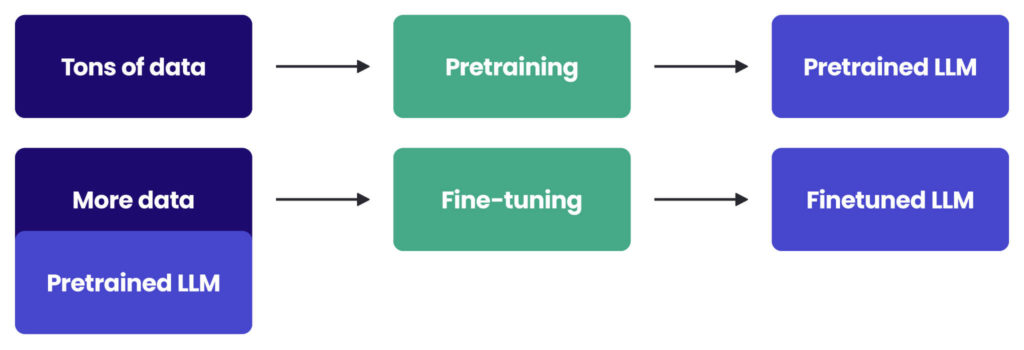
Before committing engineering hours, evaluate whether LLM fine-tuning 2026 is the right tool for your enterprise goals. Fine-tuning modifies a model’s internal weights, creating a permanent change that persists across sessions. This approach is distinct from prompt engineering and Retrieval-Augmented Generation (RAG), which rely on external context rather than internal knowledge adjustment.
Prompt engineering is the fastest way to test capabilities. It requires no training data or compute infrastructure, making it ideal for simple tasks or early-stage prototyping. If a well-crafted system prompt can achieve your accuracy targets, fine-tuning adds unnecessary cost and complexity without improving performance.
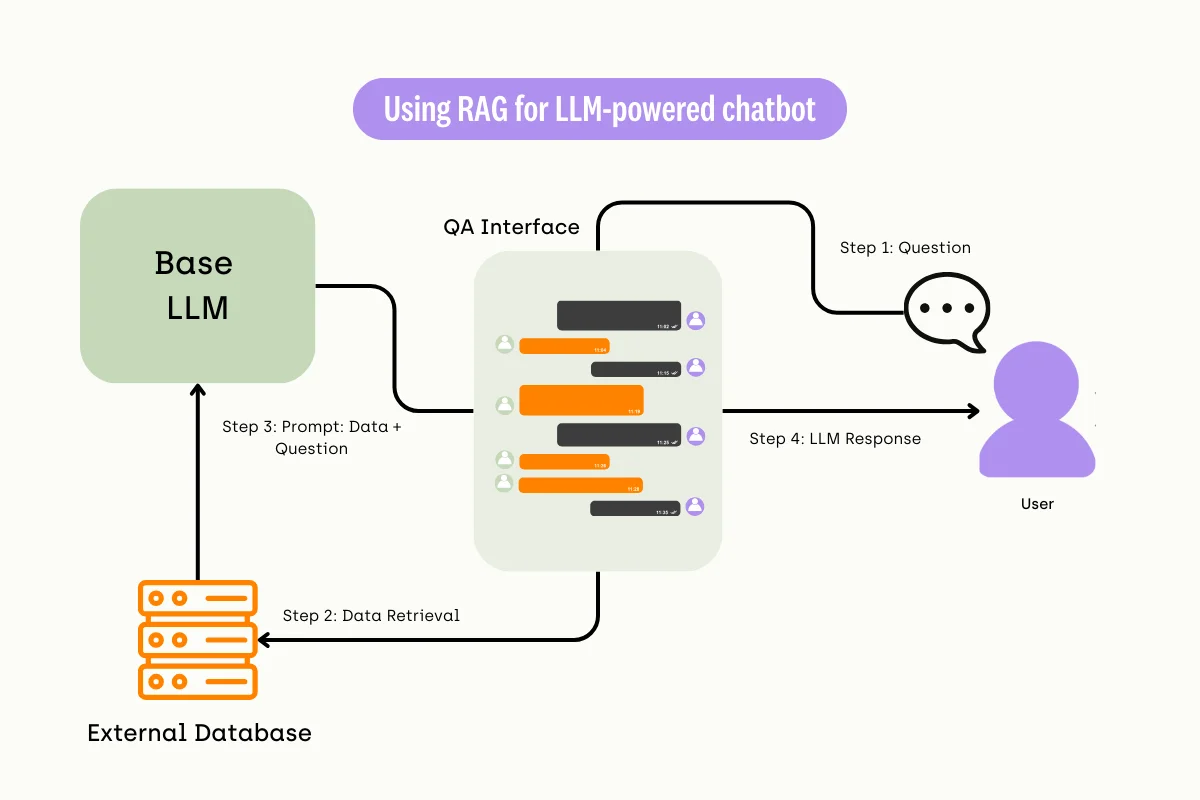
RAG is the preferred solution when your model needs access to current, proprietary, or frequently changing data. By injecting relevant documents into the context window at inference time, RAG keeps the base model static while providing fresh information. This method reduces hallucination risks and avoids the high costs associated with retraining models on new data.
Fine-tuning is necessary only when prompt engineering and RAG fail to meet specific consistency or style requirements. It is the correct choice for enforcing strict output formats, adapting to niche domain terminology, or improving performance on repetitive, specialized tasks. For most enterprise applications, RAG offers a better balance of accuracy, cost, and compliance.
Prepare your dataset for compliance
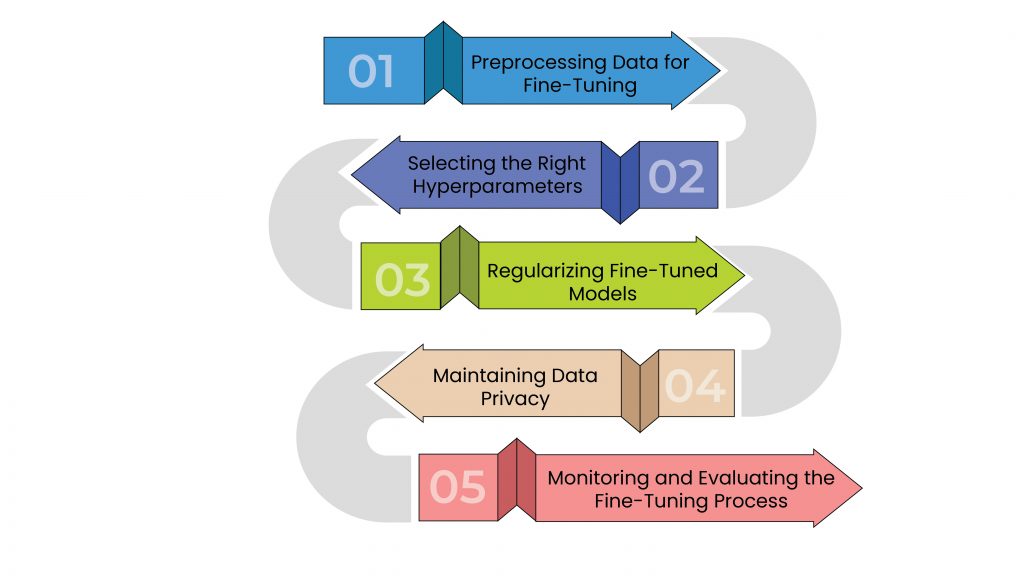
Before selecting a base model or choosing a fine-tuning method, you must ensure the training data meets enterprise security and regulatory standards. In 2026, LLM fine-tuning for enterprise teams is not just about accuracy; it is about liability. Using unvetted data exposes your organization to data leakage, regulatory fines, and reputational damage. This section outlines the mandatory steps to curate, clean, and sanitize your dataset before any training begins.
The first step is to scan your raw data for Personally Identifiable Information (PII). This includes names, addresses, social security numbers, and health records (PHI). Use automated redaction tools or manual review to remove or pseudonymize this data. Failure to do so violates GDPR, HIPAA, and other privacy laws. Ensure that no direct identifiers remain in the final dataset.
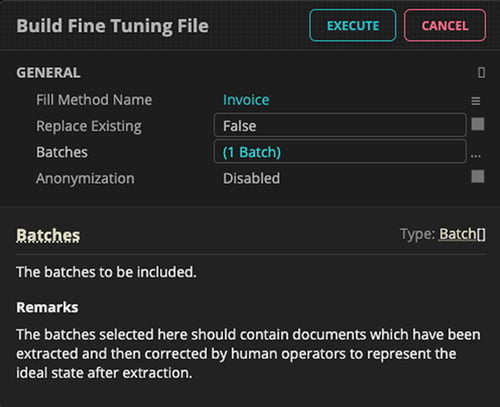
Next, audit the labels attached to your data. Inaccurate labels lead to poor model performance and unreliable outputs. Implement a multi-stage review process where human annotators verify the quality of the training examples. Additionally, check for bias in the labeling process. If your data disproportionately represents one demographic or viewpoint, the fine-tuned model will inherit these biases, leading to unfair or discriminatory outcomes.
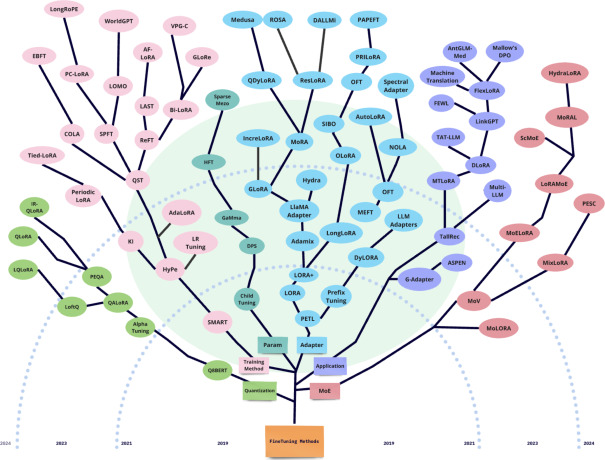
Enterprise data often comes from disparate sources with inconsistent formats. Standardize all text into a unified structure, such as JSONL or Parquet, with consistent field names (e.g., instruction, input, output). This standardization ensures that the fine-tuning pipeline processes data efficiently and reduces errors during the training phase. Consistent formatting also makes it easier to track data lineage and audit changes later.

Finally, scan for any proprietary code, trade secrets, or confidential business information that should not be exposed in the model’s weights. Even if PII is removed, proprietary content can leak if the model memorizes specific sequences. Use content filtering tools to detect and remove any text that matches your organization’s confidential data patterns. This step is critical for protecting intellectual property.
Before proceeding to model selection, use this checklist to confirm your dataset is ready:
-
PII and PHI fully redacted or pseudonymized
-
Labels verified by human annotators for accuracy
-
Bias audit completed and documented
-
Data standardized to a single format (e.g., JSONL)
-
Proprietary and confidential content removed
Getting this foundation right is the most important part of LLM fine-tuning 2026. A clean, compliant dataset prevents costly rework and ensures your model is safe for enterprise deployment.
Choose the right base model and method
Selecting a base model and fine-tuning method is the most critical decision in LLM fine-tuning 2026. The wrong combination wastes compute and yields poor results. Start by matching the model size to your data volume, then pick the method that fits your training goals.
Pick the base model
Base model choice dictates your ceiling for performance and your floor for cost. For most enterprise tasks, 7B to 13B parameter models offer the best balance. They are cheap to run and fine-tune, yet powerful enough for complex reasoning. Larger models (70B+) are only necessary if your task requires deep, multi-step logic that smaller models cannot handle. Qwen and Llama remain the top open-source choices due to their strong multilingual support and community tooling.
Select the fine-tuning method
Your method depends on what you want the model to learn. Supervised Fine-Tuning (SFT) is the standard for teaching specific formats or factual knowledge. It is straightforward and cost-effective. Direct Preference Optimization (DPO) is better for aligning tone and style, removing the need for a separate reward model. Group Relative Policy Optimization (GRPO) is an emerging reinforcement technique for complex reasoning tasks, though it requires more careful setup and higher compute.
| Method | Best For | Compute Cost | Complexity |
|---|---|---|---|
| SFT | Format, facts, basic tasks | Low | Low |
| DPO | Tone, style, preference | Medium | Medium |
| GRPO | Complex reasoning, strategy | High | High |
| Model Size | Typical Use Case | Est. Fine-Tune Cost* |
|---|---|---|
| 7B | Customer support, basic QA | Under $5 |
| 13B | Code generation, summarization | $10 - $20 |
| 70B+ | Complex reasoning, analysis | $100+ |
*Costs vary by dataset size and GPU availability. Source: Spheron Network, 2026.
Use the comparison table above to guide your initial selection. For most teams starting with LLM fine-tuning 2026, a 7B model with SFT is the safest entry point. It minimizes risk while delivering measurable improvements in task-specific performance.
Execute the fine-tuning workflow
The 2026 fine-tuning stack centers on Python 3.11+, PyTorch 2.5+, CUDA 12.x, and the Hugging Face ecosystem (transformers, datasets, peft, trl). This setup allows enterprise teams to run LLM fine-tuning 2026 on consumer-grade hardware or modest cloud instances, often for under $5 per run for a 7B parameter model. The following steps outline the technical workflow to prepare your environment, load the base model, and launch the training job.
Create a virtual environment using Python 3.11 or newer. Install the core dependencies: torch (matching your CUDA version), transformers, datasets, peft (for parameter-efficient fine-tuning), and trl (Transformer Reinforcement Learning). Ensure your GPU drivers support CUDA 12.x for optimal performance. This isolated environment prevents dependency conflicts with your existing production systems.
Load your training data into the Hugging Face datasets library. For enterprise applications, ensure the data is cleaned, anonymized, and formatted into instruction-response pairs. Use the trl library's SFTDataset class to structure your data. Verify that the tokenization matches the base model's tokenizer to avoid input errors during training. A well-structured dataset is critical for the model to learn the correct patterns.
Define the SFTTrainer arguments. Set the learning_rate, num_train_epochs, and per_device_train_batch_size. Use LoRA (Low-Rank Adaptation) via the peft library to reduce memory usage and training time. Configure the weight_decay and warmup_ratio to stabilize training. For a 7B model, start with a learning rate of 2e-4 and 3-5 epochs. Adjust these hyperparameters based on your validation loss.
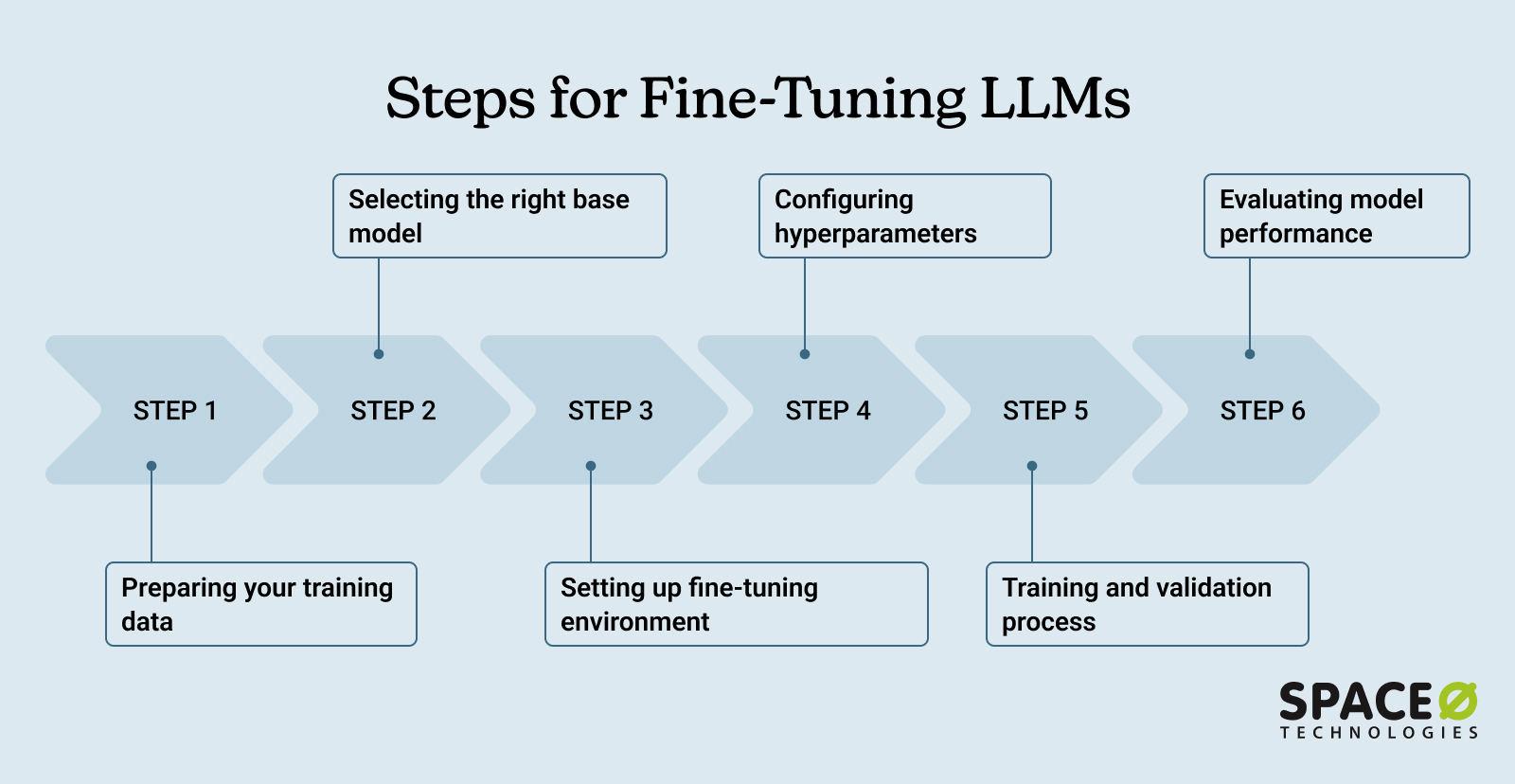
Run the trainer.train() command. Monitor the GPU memory usage and loss metrics in real-time. If you encounter out-of-memory errors, reduce the batch size or enable gradient checkpointing. The training process will save checkpoint files periodically. Once complete, merge the LoRA adapters with the base model to create a standalone fine-tuned model. This final model can be deployed to your enterprise inference engine.
Test the fine-tuned model on a held-out validation set. Check for hallucinations, bias, and adherence to the new instructions. Use automated evaluation metrics like BLEU or ROUGE, supplemented by human review for critical enterprise use cases. If the model performs well, push it to your model registry. Update your production API endpoints to point to the new model version. Monitor performance in production to catch any drift or degradation.
Validate results and deploy safely
Before moving a fine-tuned model into production, you must verify that it performs reliably on your specific data and adheres to enterprise safety standards. Skipping this phase risks deploying a model that is accurate in theory but fails under real-world conditions.
No comments yet. Be the first to share your thoughts!