Decide if fine-tuning actually fits your use case
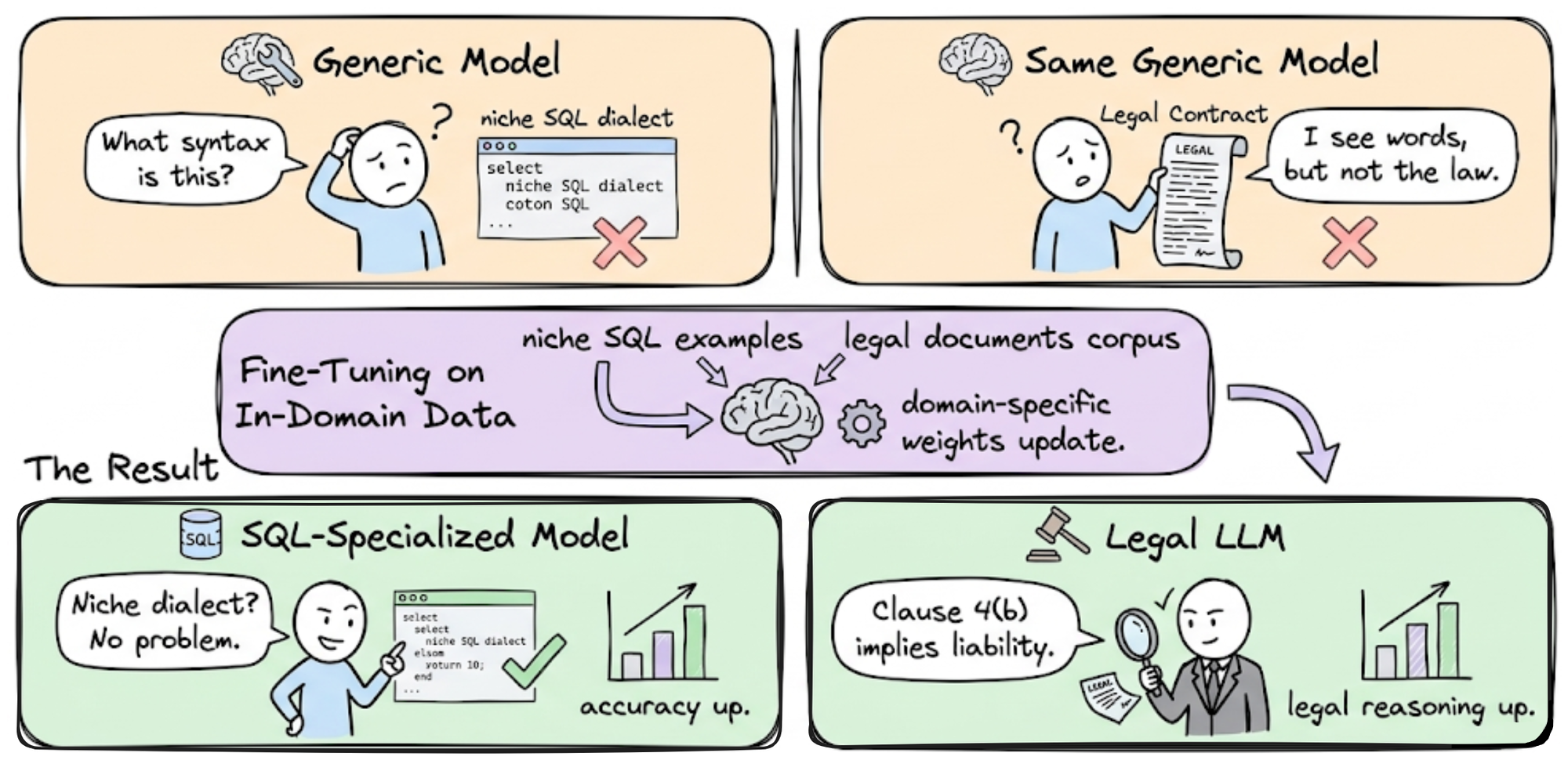
Before allocating budget or compute, determine whether fine-tuning is the right tool for your LLM fine-tuning 2026 strategy. Most teams default to fine-tuning because it feels like the "advanced" option, but it is rarely the most efficient starting point.
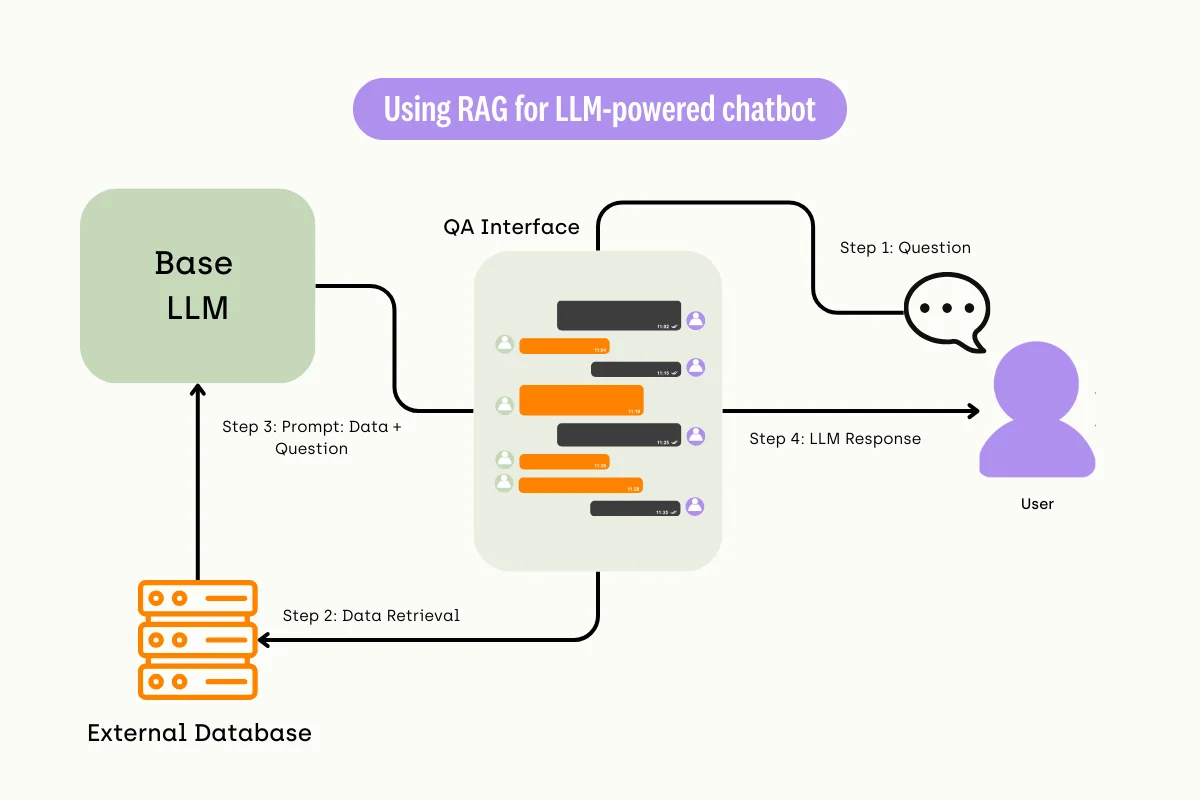
Start by evaluating your current prompt engineering and Retrieval Augmented Generation (RAG) setup. If your model is hallucinating facts or missing context, RAG is usually the fix. If your model struggles with formatting or tone, prompt engineering often suffices. Fine-tuning should only enter the conversation when these lighter methods fail to meet performance thresholds.
Consider fine-tuning when you need the model to internalize a specific style, adhere to strict output schemas, or reduce latency by embedding domain knowledge directly into weights. It is the right choice when you have a stable, labeled dataset and the cost of inference outweighs the one-time training cost.
If your use case involves dynamic knowledge that changes frequently, or if you lack a clean dataset of hundreds of examples, stick to RAG. Fine-tuning is a structural change, not a knowledge update. Reserve it for tasks where the "how" of the response matters more than the "what."
Choose the right base model and method
Selecting the correct foundation for your LLM fine-tuning project requires balancing three constraints: your available VRAM, the complexity of the task, and your budget. The 2026 fine-tuning stack centers on Python 3.11+, PyTorch 2.5+, CUDA 12.x, and the Hugging Face ecosystem, providing a mature environment for both open-source and proprietary models. Your first decision is whether to start with a general-purpose model like Llama 3.1 or Qwen 2.5, or a specialized model already tuned for coding or math.
Your second decision is the fine-tuning method. Full Supervised Fine-Tuning (SFT) updates every parameter, offering the highest performance ceiling but requiring massive compute. Parameter-Efficient Fine-Tuning (PEFT) methods like LoRA or QLoRA freeze most of the model and train only small adapter modules, reducing memory requirements by up to 90% with minimal accuracy loss. For most developers, QLoRA is the practical choice.
The table below compares common base models and methods to help you match your hardware to your goal.
| Base Model | Method | Min VRAM (GB) | Best For |
|---|---|---|---|
| Llama 3.1 8B | QLoRA | 8 | General chat, summarization |
| Qwen 2.5 7B | QLoRA | 8 | Multilingual, coding |
| Llama 3.1 70B | LoRA | 48 | Complex reasoning, enterprise |
| Mistral 7B | Full SFT | 16 | High-fidelity domain adaptation |
| Phi-3 Mini | QLoRA | 6 | Edge devices, low-latency apps |
If you are working with a single GPU under 24GB, stick to QLoRA with 7B or 8B parameter models. This setup allows you to iterate quickly without renting expensive cloud instances. For tasks requiring deep domain expertise, such as legal or medical analysis, consider Qwen 2.5 or Llama 3.1 70B with LoRA on a multi-GPU setup. Avoid full SFT unless you have dedicated A100/H100 clusters, as the cost and time penalties are rarely justified for standard applications.
Prepare your dataset for training
Your model is only as good as the data it learns from. Before you touch the training loop, you need a clean, structured dataset. For instruction tuning, the industry standard format is JSONL (JSON Lines), where each line is a valid JSON object containing an instruction and the desired response. This format is lightweight, easy to parse, and compatible with almost all modern fine-tuning frameworks.
Start by cleaning your raw data. Remove any entries with malformed JSON, excessive whitespace, or sensitive information. You should also balance your instruction and response pairs. If your dataset is heavily skewed toward one type of query, the model will overfit to that pattern. Aim for a diverse mix of tasks to ensure the model generalizes well.
{
  "instruction": "Translate the following English text to French: 'Hello, how are you?'",
  "input": "",
  "output": "Bonjour, comment allez-vous ?"
}
Use tools like the Hugging Face datasets library to load and preprocess your JSONL files. This allows you to apply transformations, such as tokenization or length filtering, efficiently before training begins. A well-prepared dataset reduces noise and helps your model converge faster, saving both time and GPU costs.
Run the fine-tuning workflow
The 2026 fine-tuning stack centers on Python 3.11+, PyTorch 2.5+, CUDA 12.x, and the Hugging Face ecosystem (transformers, datasets, peft, trl) [src-serp-3]. This guide walks through executing the training loop using modern tools like Axolotl or Hugging Face TRL.
Set up a clean virtual environment and install the core dependencies. Ensure your system has the necessary CUDA drivers and that pip is up to date. Install transformers, datasets, peft, and trl via pip. Verify your GPU is accessible by running a quick PyTorch check.
Load your training data using the Hugging Face datasets library. Ensure your data is formatted as a JSONL or CSV file with input-output pairs. Use the load_dataset function to parse the file, then apply any necessary preprocessing steps like tokenization or length filtering to ensure consistency.

Load the base model (e.g., Llama 3 or Qwen) using AutoModelForCausalLM. Apply Low-Rank Adaptation (LoRA) configurations through the peft library to reduce memory usage. Define the SFTTrainer from trl, passing in your model, dataset, and training arguments such as learning rate, batch size, and number of epochs.
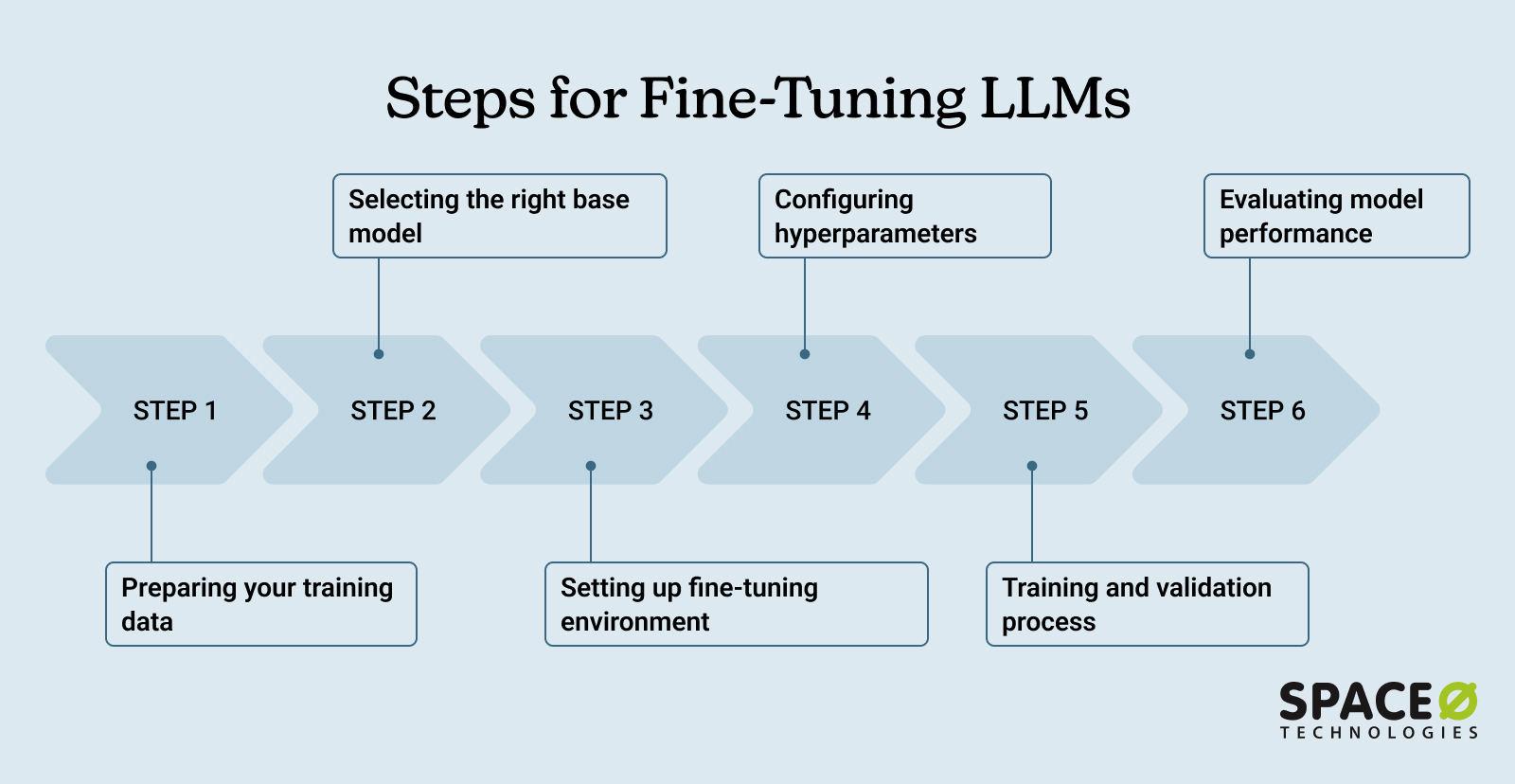
Start the fine-tuning process by calling the train() method on your trainer instance. Monitor the loss metrics in real-time using TensorBoard or Weights & Biases. Once training completes, save the adapter weights to disk. If using Axolotl, you can run this entire workflow via a single YAML configuration file and a CLI command.
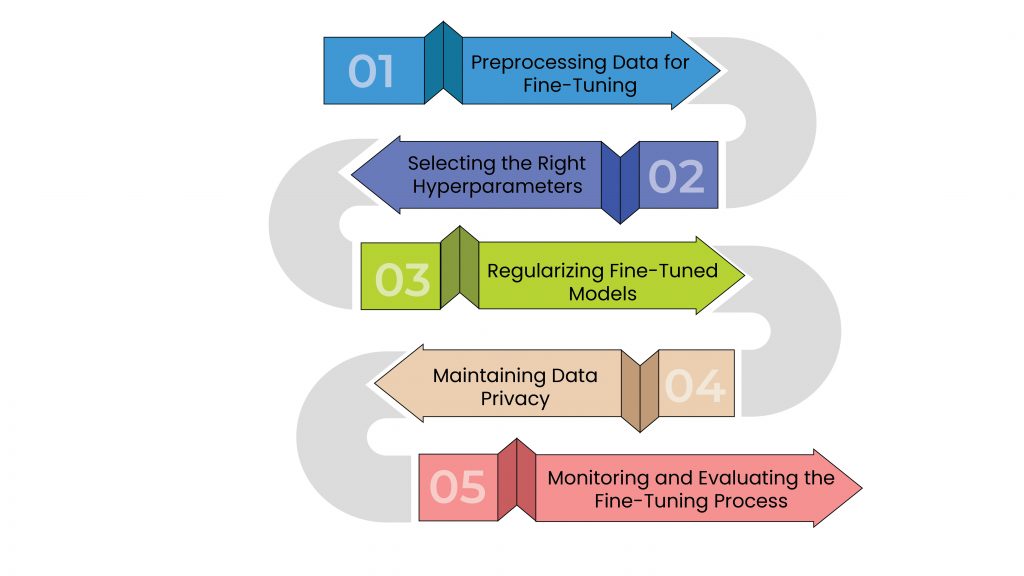
Test the fine-tuned model on a held-out validation set to check for overfitting or degradation in general capabilities. If satisfied, merge the LoRA adapter weights back into the base model using peft's merge_and_unload method. Save the final merged model for deployment or further inference testing.
Evaluate and merge the adapter
Before deploying your fine-tuned model, you need to confirm it actually performs better than the base version. Testing your LLM fine-tuning results ensures the adapter learned the right patterns without collapsing into hallucinations or losing general capabilities.
Run a standardized benchmark suite on a held-out test set. Compare the fine-tuned model against the base model using the same prompts. Look for consistent improvements in the specific tasks you targeted, such as code generation or customer support tone. If performance drops on general tasks, your learning rate may have been too high, causing overfitting.
Once you are satisfied with the results, merge the LoRA weights back into the base model. This step combines the adapter’s adjustments with the original model parameters, creating a single, larger model file. Merging removes the need to load the adapter separately during inference, which simplifies deployment and can reduce latency.
Use the merge_and_unload method from the PEFT library to perform the merge safely. Always save the merged model to a new directory to preserve your original base weights. This allows you to revert if the merged model behaves unexpectedly in production.
-
Run benchmark tests on held-out data
-
Compare results against the base model
-
Merge LoRA weights using merge_and_unload
-
Save the merged model to a new directory
-
Perform a final sanity check on key prompts
Common mistakes in LLM fine-tuning
Even with compute costs dropping below $5 for a 7B model, cheap training doesn’t forgive bad execution. Teams often waste weeks on preventable errors that degrade model performance or inflate costs unnecessarily. The most frequent pitfalls involve data hygiene, hyperparameter selection, and ignoring hardware constraints.
Overfitting to small datasets
Fine-tuning is not a cure-all. If your dataset is too small or lacks diversity, the model will memorize noise rather than learn generalizable patterns. This is especially dangerous with LoRA or QLoRA, where low-rank adapters can overfit quickly if the learning rate is too high. Always validate on a held-out set that mirrors real-world distribution, not just a random split of your training data.
Ignoring data quality
Garbage in, garbage out applies even more in 2026. Training on noisy, unfiltered, or poorly formatted data leads to models that hallucinate or refuse valid inputs. Spend more time curating and cleaning your dataset than you do tuning hyperparameters. A smaller, high-quality dataset will outperform a massive, messy one every time.
Choosing full fine-tuning
Many teams default to full fine-tuning because it feels more "complete." In 2026, this is rarely the right call. LoRA and QLoRA offer comparable performance for most use cases at a fraction of the cost and hardware requirements. Only consider full fine-tuning if you have specific, advanced needs that adapters cannot meet, and only if you have the infrastructure to support it.
Neglecting hardware limits to account for
Fine-tuning is not just an algorithmic problem; it’s an engineering one. Ignoring VRAM limits, batch size constraints, or gradient accumulation requirements can lead to OOM errors or unstable training. Profile your hardware early and adjust your training configuration accordingly. Use tools like accelerate or bitsandbytes to manage resources effectively.
No comments yet. Be the first to share your thoughts!