
Get llm fine-tuning 2026 right
Start The Fine-Tuning Playbook with the constraint that matters most in real life: space, timing, budget, skill level, maintenance, or availability. That first constraint should shape the rest of the plan instead of appearing as an afterthought. Keep the first pass simple enough to verify. Compare the main options against the same criteria, remove choices that only work in ideal conditions, and save optional upgrades for later.
The simplest way to use this section is to write down the real constraint first, compare each option against it, and choose the path that still works outside ideal conditions.
Work through the steps
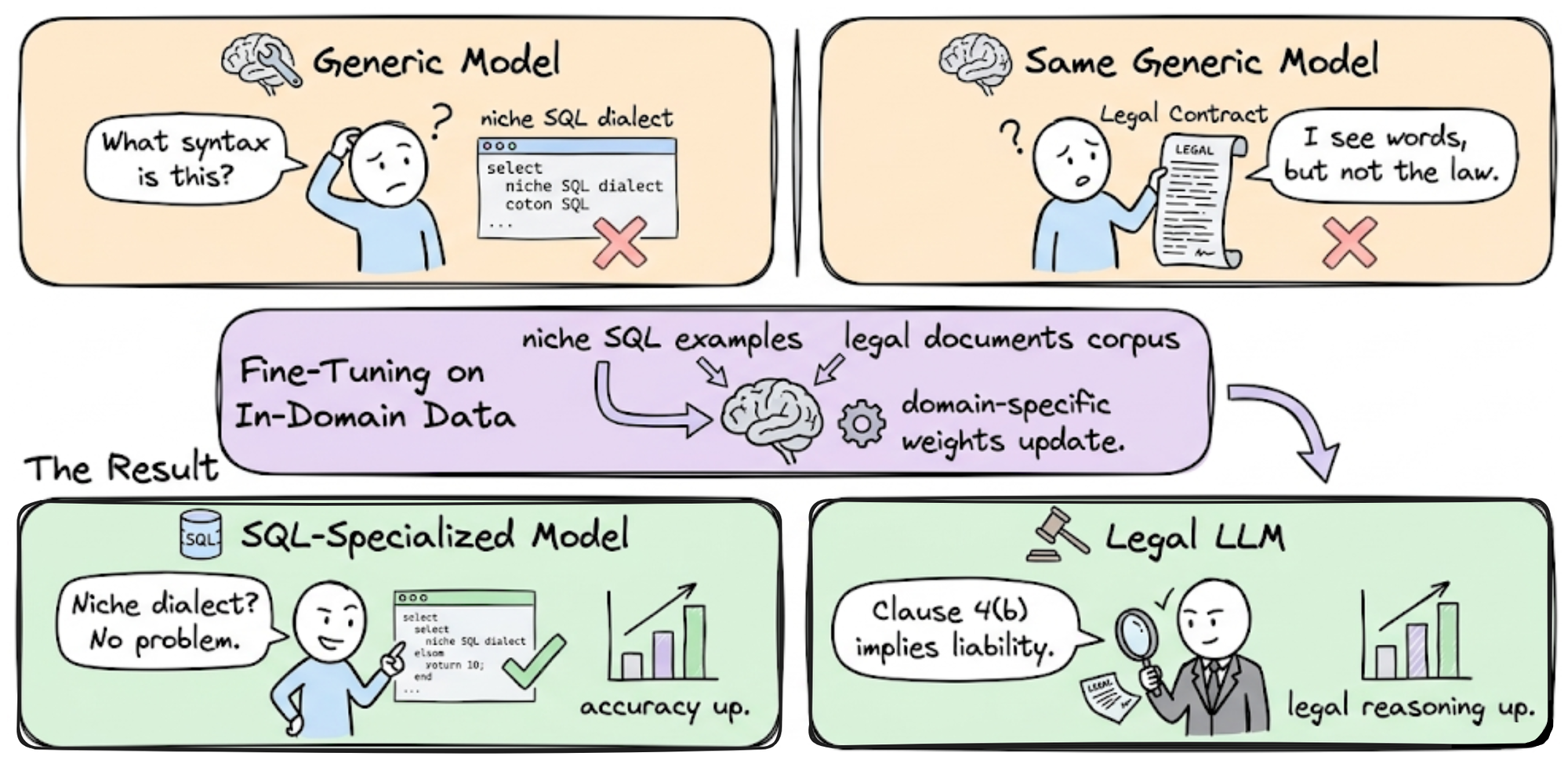
Fine-tuning an LLM is less about buying the biggest GPU and more about curating a high-quality dataset. The goal is to adapt a base model to your specific domain—whether that’s legal contract review or customer support—without breaking the bank. This process requires precision at every stage, from data cleaning to the final evaluation.
1. Prepare your dataset
The quality of your fine-tuned model is directly proportional to the quality of your training data. Start by gathering 100-500 high-quality examples of your desired output. If you are building a customer service bot, these should be real, anonymized conversation logs where the responses are accurate and helpful.
Clean this data rigorously. Remove duplicates, fix formatting errors, and ensure consistent tone. A messy dataset will teach the model bad habits that are expensive to fix later. Aim for a JSONL format, which is the standard for most fine-tuning libraries like Unsloth or Hugging Face.
2. Choose your base model
Don’t just grab the largest model available. Select a base model that aligns with your compute budget and task complexity. For most specialized tasks, a 7B or 8B parameter model is sufficient and runs efficiently on consumer-grade hardware. Larger models like 70B+ are overkill for narrow tasks and will drain your ROI through higher inference costs.
Check the model’s license to ensure it allows fine-tuning for commercial use. Models like Mistral 7B or Llama 3.1 8B are popular choices because they offer a strong balance of capability and accessibility. Hugging Face is the primary source for verifying model cards and licenses.
3. Select your fine-tuning method
Full fine-tuning is rarely necessary and often prohibitively expensive. Instead, use Parameter-Efficient Fine-Tuning (PEFT) methods like QLoRA (Quantized Low-Rank Adaptation). QLoRA allows you to fine-tune large models using significantly less VRAM by quantizing the model weights to 4-bit precision.
This method reduces memory usage by up to 75% compared to full fine-tuning. It allows you to fine-tune a 70B model on a single 24GB GPU, or a 7B model on an 8GB card. The trade-off is negligible performance loss for most specialized tasks, making it the standard for cost-effective optimization.
4. Configure hyperparameters
Fine-tuning is sensitive to learning rate and batch size. Start with a small learning rate (e.g., 2e-4 to 5e-5) to avoid "catastrophic forgetting," where the model loses its general language abilities. Use a cosine annealing schedule to gradually reduce the learning rate as training progresses.
Set your epochs to 3-5. More epochs do not always mean better results and can lead to overfitting, where the model memorizes your training data rather than learning the pattern. Monitor the loss curve closely; if it starts to rise, stop training immediately.
5. Evaluate and test
Before deploying, test the model against a hold-out validation set that was not seen during training. Use both automated metrics (like perplexity) and human evaluation. Ask domain experts to review the outputs for accuracy, tone, and safety.
If the model hallucinates or fails to follow instructions, return to step 1. It is often cheaper to add more data than to retrain with worse hyperparameters. Once validated, deploy the model and monitor its performance in production.
Common Fine-Tuning Mistakes to Avoid
Even with a solid strategy, small errors in execution can derail your ROI. These pitfalls often stem from rushing the process or misunderstanding how models learn. Fixing them early saves compute costs and prevents model collapse.
Ignoring Data Quality
Garbage in, garbage out. Many teams rush to fine-tune without cleaning their dataset. If your examples contain typos, inconsistent formatting, or logical errors, the model will learn those flaws. Spend time curating high-quality, diverse examples. A smaller, cleaner dataset often outperforms a massive, noisy one.
Overfitting to Training Data
It is tempting to push training for too many epochs to squeeze out every bit of performance. This leads to overfitting, where the model memorizes the training set but fails on new inputs. Monitor validation loss closely. If it starts rising while training loss drops, stop immediately. Early stopping is your best friend here.
Neglecting Evaluation
You cannot optimize what you do not measure. Skipping rigorous testing before deployment is a costly mistake. Use a held-out test set that mirrors real-world usage. Check for hallucinations, bias, and adherence to instructions. If the model fails on edge cases, refine the data or adjust hyperparameters before going live.
Llm fine-tuning 2026: what to check next
Before committing budget to custom model training, address these practical objections. The 2026 landscape favors parameter-efficient methods over full retraining, making ROI calculations clearer for teams with limited compute.
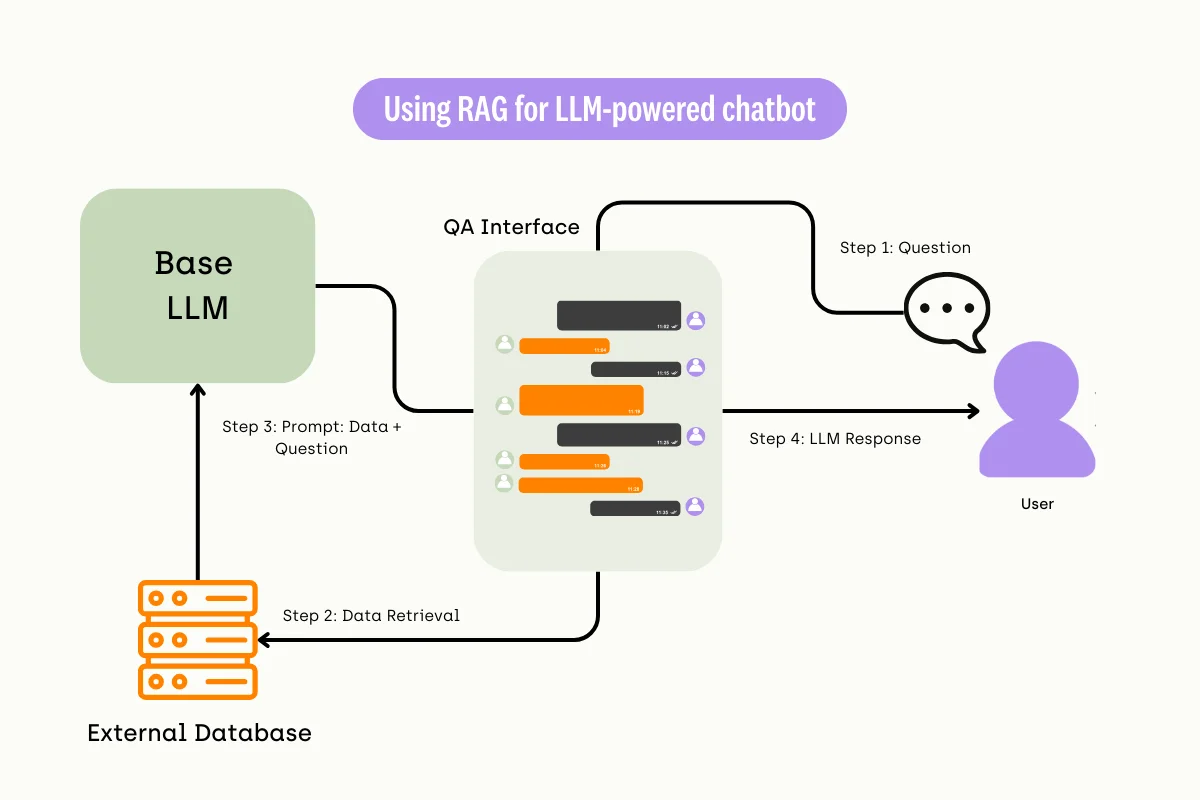
These questions reflect the most common friction points in the 2026 fine-tuning workflow. The consensus among practitioners is clear: start with RAG, then fine-tune only for style or specific reasoning gaps.
Helpful gear
Use these product recommendations as a starting point, then choose the size, material, and price point that fit how you actually use the gear.

As an Amazon Associate, we may earn from qualifying purchases.
Work through The Fine-Tuning Playbook

No comments yet. Be the first to share your thoughts!