
Get fine-tuning LLMs 2026 right
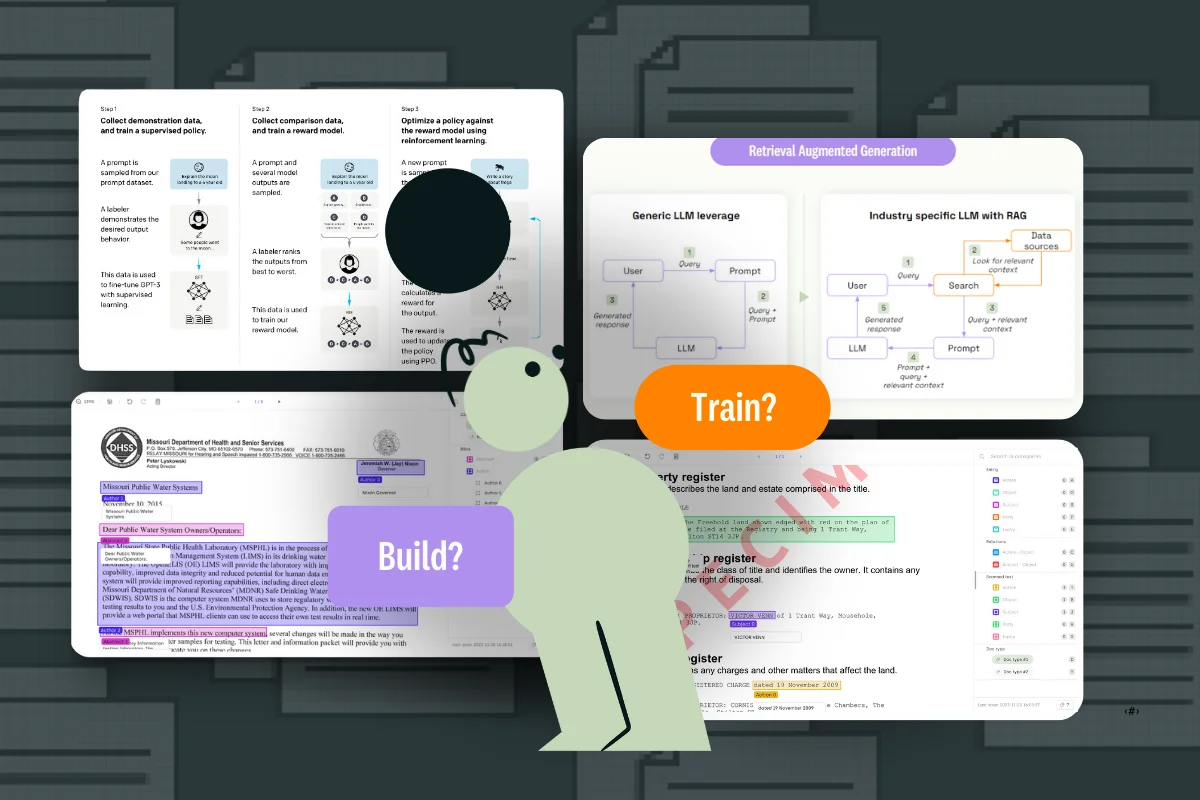
Before you spend a dollar on GPU time, verify that fine-tuning is actually the right lever to pull. Most small businesses confuse fine-tuning with prompt engineering. Prompting shapes how the model thinks in the moment; fine-tuning changes what the model knows permanently. If your problem is a logic error or a formatting issue, fine-tuning will likely fail. If it is a knowledge gap or a style shift, it is the right tool.
Check your data readiness
Fine-tuning requires structured, high-quality examples. You cannot feed raw, messy customer service logs into a model and expect it to learn. You need to curate a dataset of input-output pairs that clearly demonstrate the desired behavior. Aim for at least 50-100 high-quality examples for a specific task. If you have thousands of messy examples, you need to clean them first. Garbage in, garbage out is even more true for fine-tuning than for general AI usage.
Assess your technical infrastructure
You do not need a data science team to fine-tune, but you do need a clear plan. Decide whether you will use a managed platform like Hugging Face, Replicate, or AWS Bedrock, or if you will run local models on your own hardware. Managed platforms are easier for small businesses but cost more per token. Local fine-tuning offers more control and privacy but requires significant upfront setup and hardware knowledge. For most small teams, starting with a managed platform is the pragmatic choice.
Define your success metrics
How will you know if the model is better? Define a simple evaluation set before you start. Create 20-30 test cases that represent common, real-world scenarios. You will compare the output of the base model against the fine-tuned model on these cases. If the fine-tuned model does not consistently outperform the base model on your specific metrics, you may need to adjust your approach or go back to prompt engineering.
Work through the steps
Fine-tuning an LLM for your small business isn’t about rewriting the entire model; it’s about teaching it your specific voice and data. The process follows a linear path: define the problem, prepare the data, choose the right method, run the training, and validate the results. Skipping data preparation is the most common mistake, so treat that phase with the same rigor as the code itself.
1. Identify the specific use case
Before writing a single line of code, define the exact problem you are solving. Are you trying to extract structured data from invoices, or are you building a customer support bot that answers based on your internal wiki? A vague goal like "make the AI smarter" will lead to wasted compute and poor results.
Write down five examples of the input and the ideal output. This "few-shot" set becomes your benchmark. If you can’t demonstrate the desired behavior with a few clear examples, the model won’t learn it either. Be specific about tone, format, and constraints.
2. Prepare your dataset
Data quality outweighs data quantity. For most small businesses, a high-quality dataset of 100–500 examples is sufficient to see significant improvements over a base model. Focus on cleaning your text: remove headers, footers, and irrelevant metadata. Ensure the input-output pairs are consistent and free of hallucinations.
Format your data in JSONL (JSON Lines), where each line is a valid JSON object. Most modern fine-tuning frameworks expect this structure. Keep a validation set separate from your training data—roughly 10–20% of your total examples—to test the model later without bias.
3. Choose a parameter-efficient method
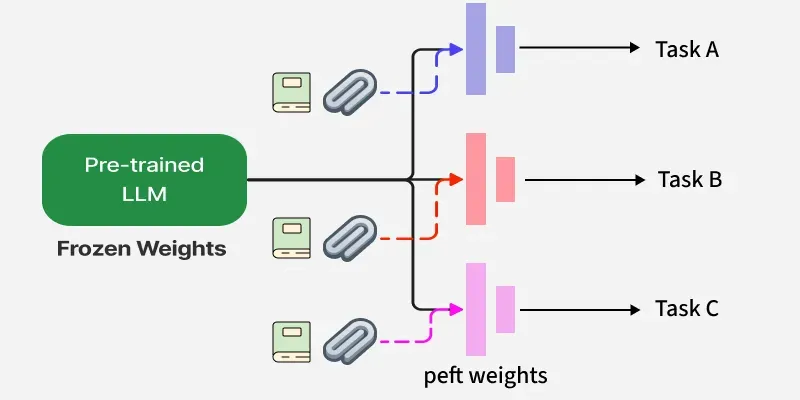
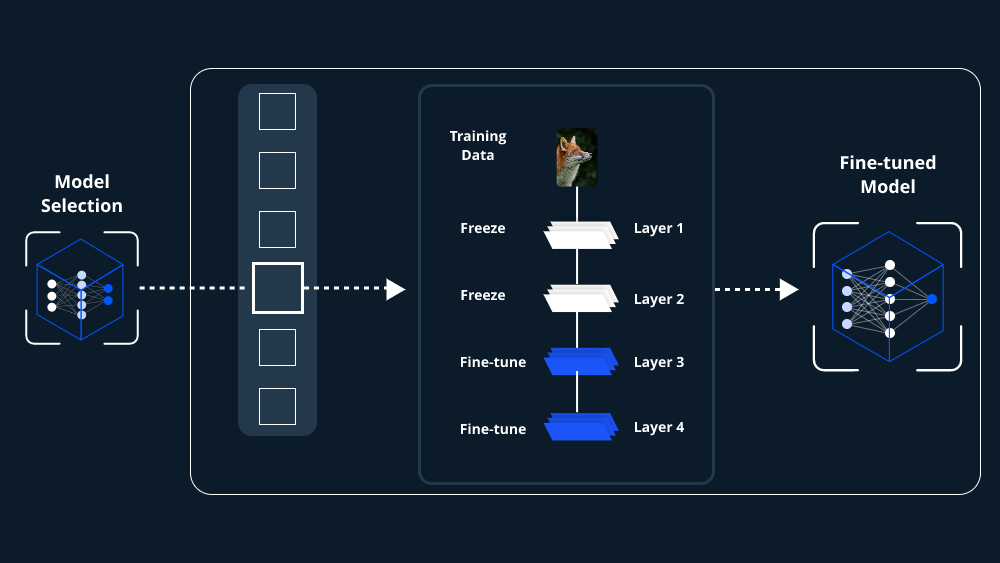
Full fine-tuning is expensive and often unnecessary. Use Parameter-Efficient Fine-Tuning (PEFT) methods like LoRA (Low-Rank Adaptation). LoRA freezes the pre-trained model weights and only trains small, added matrices. This reduces memory requirements by up to 90% and speeds up training significantly, making it feasible to run on a single consumer-grade GPU or a modest cloud instance.
Select a base model that is already strong in your domain. If you need code generation, start with a model fine-tuned on code. If you need general reasoning, a larger general-purpose model is better. The base model provides the foundation; your data provides the specific instruction.
4. Run the training job
Configure your training hyperparameters. Learning rate is the most critical setting; too high, and the model "forgets" its general knowledge (catastrophic forgetting); too low, and it won’t learn your specific data. Start with a small learning rate (e.g., 2e-4 to 5e-5) and use a small number of epochs (3–5).
Monitor the loss curve during training. It should decrease steadily. If it spikes or plateaus immediately, adjust the learning rate. Use tools like Weights & Biases or TensorBoard to visualize this process. For small datasets, overfitting is a real risk; if validation loss stops decreasing while training loss continues to drop, stop the training early.
5. Evaluate and iterate
Test the fine-tuned model against your validation set and your original five examples. Compare its output to the base model. Does it follow instructions better? Is the tone more consistent? If the model still struggles with specific edge cases, add those examples to your dataset and retrain. Fine-tuning is rarely a one-and-done process; it’s an iterative loop of data collection, training, and evaluation.
Write down five specific input-output examples that represent your ideal model behavior. Avoid vague goals like "improve quality" in favor of concrete tasks like "extract invoice dates."
Curate 100–500 high-quality JSONL examples. Remove noise and keep a separate validation set for unbiased testing later.

Choose a PEFT method like LoRA to reduce memory usage. Pick a base model that already aligns with your domain requirements.
Run the job with a conservative learning rate (2e-4). Watch the loss curve to prevent catastrophic forgetting or overfitting.

Compare outputs against your baseline. Add missing edge cases to your dataset and retrain if performance gaps remain.
Fix common mistakes
The most common troubleshooting mistake is assuming the model itself is broken when the data is flawed. Before adjusting hyperparameters or switching platforms, verify your dataset quality. Check for inconsistent formatting, hallucinated examples, or leaked validation data in your training set. A small data error can make the model appear unreliable even when the training process is technically correct.
Work from low-risk checks to deeper resets. Confirm your JSONL syntax is valid, your base model matches your domain, and your learning rate is conservative. Then restart the training job, wait for it to complete, and test the original symptom. Avoid changing multiple hyperparameters at once because that makes it harder to know which step actually fixed the problem.
If the issue affects safety information, repeats after every restart, or appears with warning messages, treat the reset as a temporary diagnostic step rather than the final fix. Document the symptom and move to official support instead of stacking more DIY attempts.
The simplest way to use this section is to keep the setup small, verify each change, and record the stable configuration before adding optional accessories.
Fine-tuning llms 2026: what to check next
Before committing budget to model training, address the practical objections that typically derail small business projects. Use these checks to determine if fine-tuning is the right move for your specific use case.
No comments yet. Be the first to share your thoughts!