
When to fine-tune instead of using RAG
Prompt engineering and retrieval-augmented generation (RAG) handle most niche tasks. They are cheap, fast, and require no training data. However, they struggle when your model needs to follow strict formatting rules, adopt a specific professional tone, or apply complex domain logic that doesn't fit into a simple prompt.
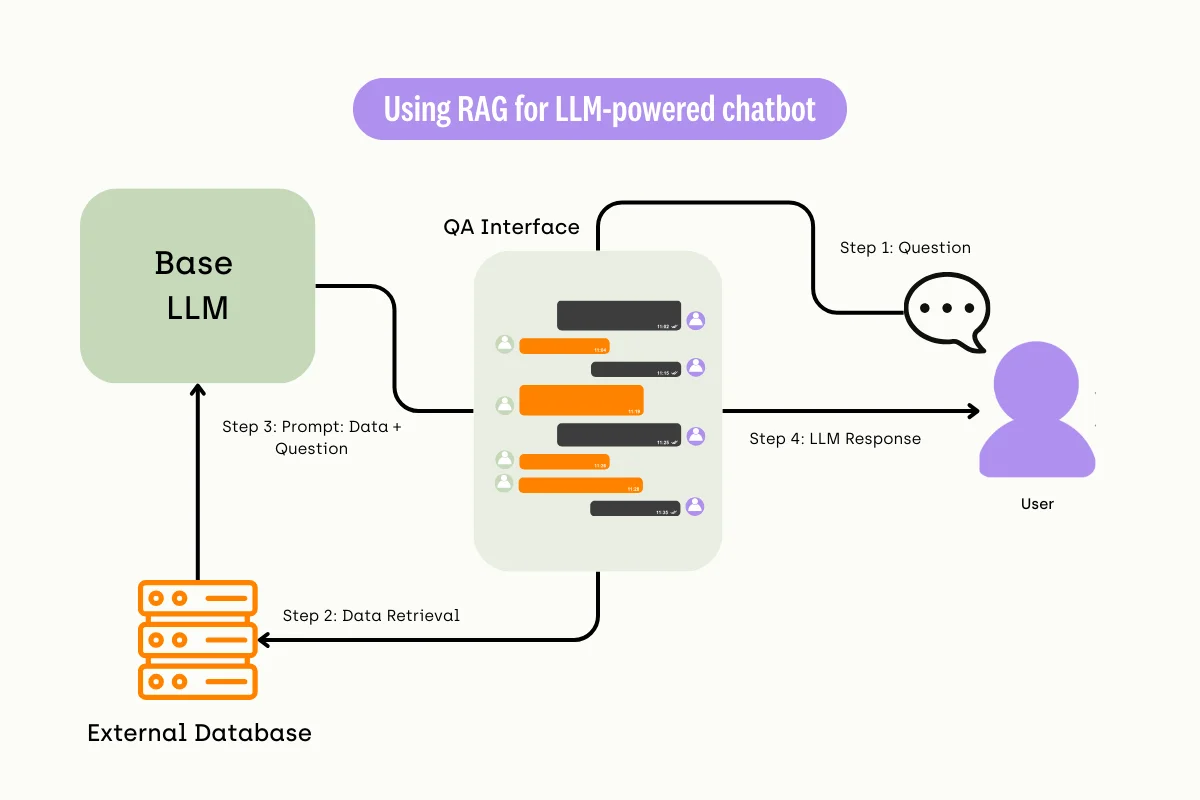
RAG retrieves relevant documents but cannot change how the model thinks. If your niche requires the model to consistently output JSON schemas, follow legal compliance structures, or mimic a specialized writing style, RAG alone will fail. The model will still hallucinate formatting or drift in tone. Fine-tuning embeds these patterns directly into the model weights.
Use this comparison to decide if your use case crosses the threshold from "retrieval needed" to "behavior change needed."
| Dimension | Prompt Engineering | RAG | Fine-Tuning |
|---|---|---|---|
| Cost | Lowest | Medium | Highest |
| Latency | Low | Medium-High | Low |
| Formatting Control | Weak | Weak | Strong |
| Tone/Style Adaptation | Fragile | None | Consistent |
| Data Updates | Instant | Instant | Requires Retraining |
| Complex Logic | Fails | Context-Dependent | Reliable |
Fine-tuning is the right choice when you have a static, high-value dataset and a consistent output requirement. It is not the right choice for knowledge that changes daily, such as stock prices or news. For dynamic information, stick to RAG. For complex, repetitive structural tasks, fine-tune your model.
Prepare your niche dataset
Your model is only as sharp as the data it learns from. When working with niche markets, you likely cannot afford millions of examples. This scarcity demands precision. A small, messy dataset will confuse the model, causing it to overfit to noise rather than learn the underlying patterns of your specific domain.
Think of your dataset as a targeted training regimen. You are not trying to teach the model everything; you are correcting its blind spots. Every example must be deliberate, clean, and directly relevant to the task you want the model to master.
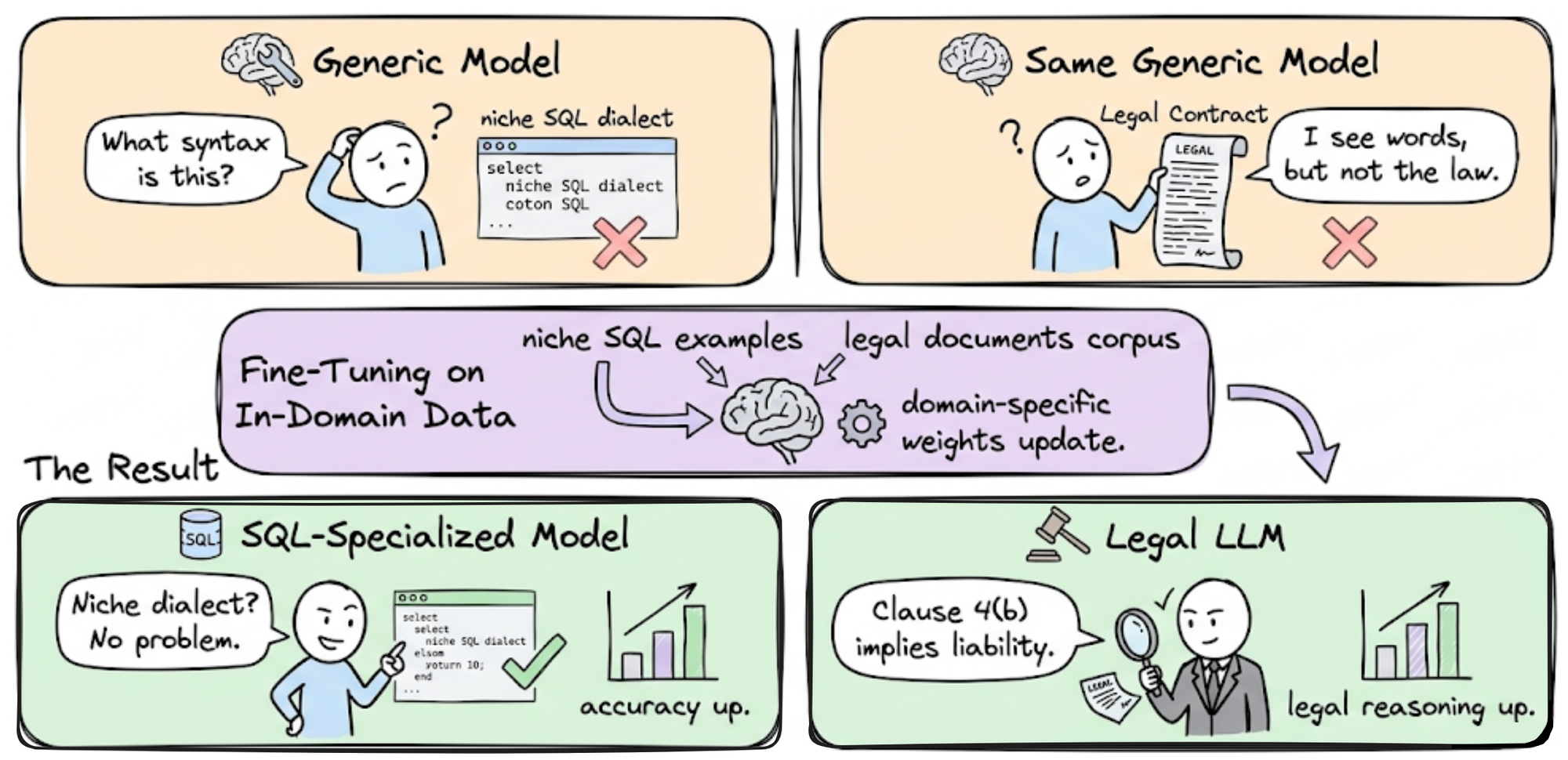
Before collecting data, clearly articulate what the model should do. Vague goals like "be more helpful" lead to scattered data. Instead, define specific outputs. For a legal niche, the task might be "summarize case law into three bullet points." This clarity dictates your data structure and helps you filter out irrelevant examples early.
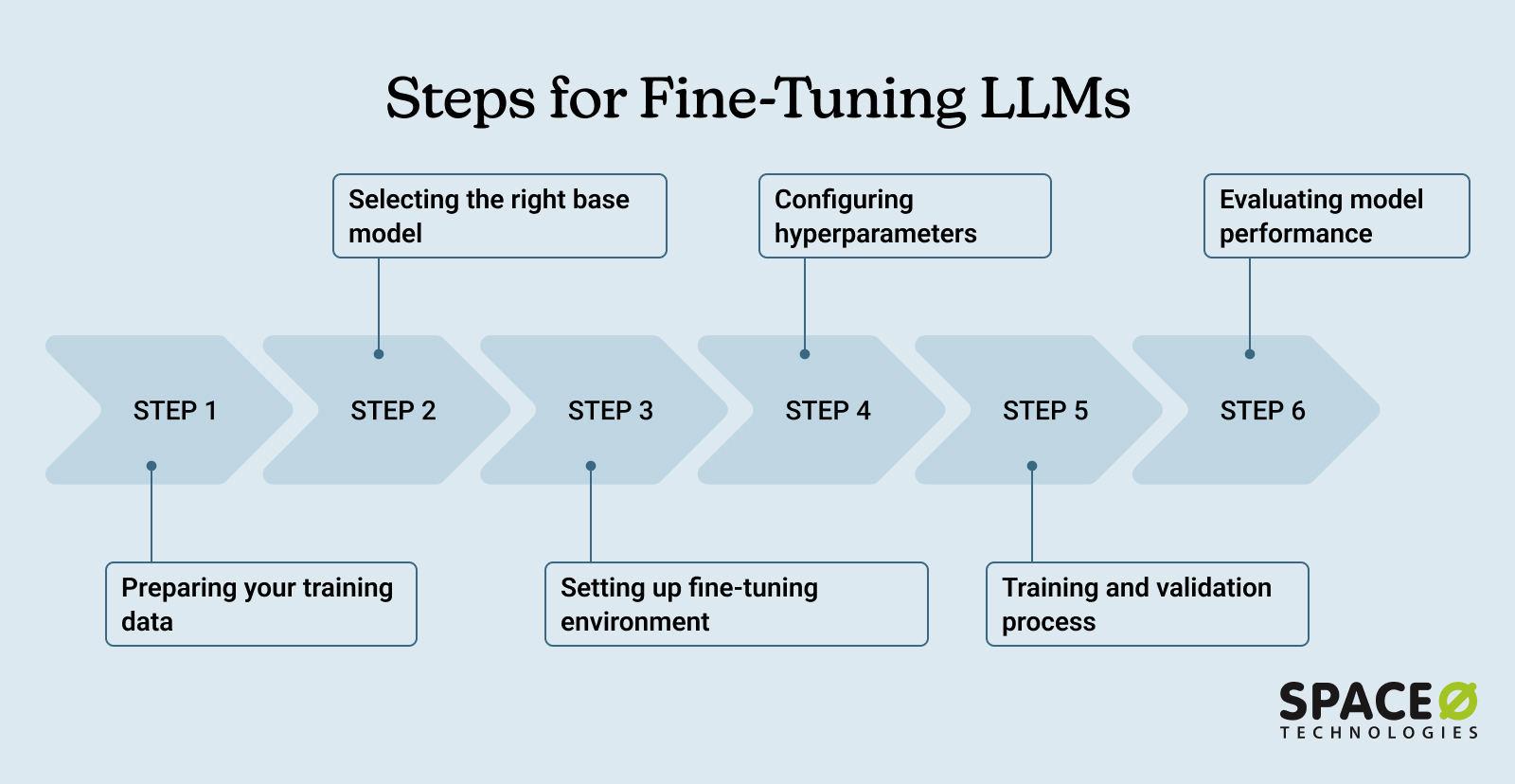
Gather 100–500 high-quality examples that represent your niche’s core challenges. Quality outweighs quantity. Each example should contain a clear input and a gold-standard output. Remove any examples with typos, ambiguous instructions, or multiple valid answers, as these introduce confusion. If you have access to expert-reviewed data, prioritize it over public web scrapes.

Structure your data into the format required by your fine-tuning framework, typically JSONL (JSON Lines). Each line should be a valid JSON object containing your prompt and response fields. Ensure consistent formatting across all entries. Inconsistent casing, extra whitespace, or missing tags can break the training process or degrade performance.
Never train on your entire dataset. Reserve 10–20% of your examples for validation. This split allows you to monitor whether the model is memorizing the training data or actually learning to generalize. If the training loss drops but the validation loss rises, you are overfitting, and you need to add more diverse examples or reduce model complexity.
Choose base model and training method
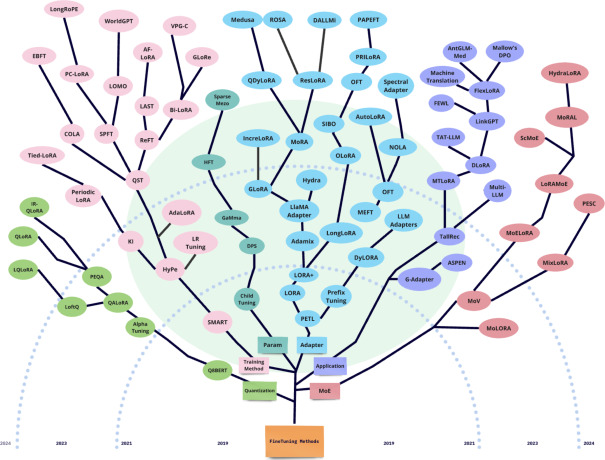
Selecting the right foundation is the first step in LLM fine-tuning. In 2026, the goal is to balance capability with hardware constraints. You generally have two choices: a dense model like Llama 3 or a smaller, efficient model like Mistral. Pair this with Parameter-Efficient Fine-Tuning (PEFT) to keep your GPU usage manageable.
Pick a base model
For most niche applications, Llama 3 8B or Mistral 7B offer the best balance. They are well-supported, have strong community ecosystems, and fit comfortably on consumer-grade GPUs when using quantization. If your niche requires deep domain knowledge, consider a 70B parameter model, but only if you have access to multi-GPU setups or cloud inference.
Choose PEFT: LoRA or QLoRA
Full fine-tuning is rarely necessary and often too expensive. Instead, use LoRA (Low-Rank Adaptation) or QLoRA (Quantized LoRA). QLoRA is the preferred method in 2026 because it allows you to fine-tune larger models on smaller hardware by loading them in 4-bit precision. This reduces memory usage by up to 75% with minimal performance loss.
Configure and load
Use the Hugging Face peft library to define your adapter. This ensures you are using the latest optimization techniques. The following snippet shows how to load a base model with QLoRA configuration.
Execute the fine-tuning workflow
Fine-tuning a large language model for a niche market requires precision. You are not training a generalist; you are teaching a specialist to speak your industry’s language. The goal is to adapt a base model to specific terminology, tone, and logic without losing its foundational reasoning capabilities.
The workflow below uses the Hugging Face transformers and trl libraries, which are the industry standard for efficient fine-tuning. This sequence covers data preparation, hyperparameter selection, and monitoring to prevent overfitting—a common risk when working with smaller, niche datasets.
Start by cleaning your data. For niche applications, quality matters more than quantity. Remove duplicates, fix formatting errors, and ensure each example clearly demonstrates the desired input-output behavior. Format your data using the standard instruction format: a system prompt, a user question, and the correct assistant response. If you are using Hugging Face’s datasets library, load your JSON or CSV file and convert it into a Dataset object. Validate that the tokenizer can handle your specific domain vocabulary without excessive padding or truncation.
Choose a base model that aligns with your compute budget and performance needs. For niche tasks, smaller models (7B–13B parameters) often suffice if the data is high-quality. Select a fine-tuning method: Full Fine-Tuning updates all weights but is expensive. Parameter-Efficient Fine-Tuning (PEFT) methods like LoRA (Low-Rank Adaptation) are preferred for niche markets. LoRA freezes the base model and trains only small adapter matrices, drastically reducing memory usage and training time while maintaining high accuracy.

Set your hyperparameters carefully. For LoRA, a learning rate between 2e-4 and 5e-4 is a common starting point. Use a low rank (r=8 or r=16) and alpha (alpha=16 or alpha=32). The number of epochs should be small (1–3) to avoid overfitting on niche data. Use the SFTTrainer from the trl library to wrap your model, tokenizer, and dataset. Monitor the training loss closely. If the loss drops too quickly and then spikes, you are likely overfitting. Reduce the learning rate or the number of epochs in the next iteration.
After training, merge the LoRA adapters back into the base model weights if you plan to deploy on hardware that doesn’t support dynamic adapter loading. Otherwise, keep the adapter separate for flexibility. Test the model on a held-out validation set to ensure it hasn’t memorized the training data. Run inference on edge-case examples specific to your niche. If the output is coherent and accurate, save the model using model.save_pretrained() and push it to the Hugging Face Hub for easy access and version control.
Validate and deploy the model
Before making the fine-tuned model available to end users, you must verify that it performs reliably on the specific niche data it will encounter. This phase separates a model that looks good on paper from one that works in production. The goal is to catch hallucinations, latency issues, and safety failures before they impact your users.
Evaluate against the validation set
Start by running the model through a held-out validation set—data the model never saw during training. This set should reflect the real-world distribution of inputs your niche market will generate. Compare the model’s outputs against ground-truth answers or human evaluations.
Pay close attention to the specific metrics that matter for your use case. If you are building a customer support bot, accuracy in intent classification is more important than creative writing flair. If you are fine-tuning for legal summarization, precision in citing sources is critical. Use tools like Hugging Face’s evaluate library or custom Python scripts to calculate these scores. If the model fails to meet your baseline performance thresholds, return to the training phase with more targeted data or adjusted hyperparameters.
Test for safety and alignment
LLMs can sometimes exhibit unexpected behaviors when pushed to their limits. Run adversarial tests to see if the model can be tricked into revealing sensitive information or generating harmful content. This is especially important for niche markets where the training data might be sparse or contain edge cases.
Implement safety filters at the inference layer. These filters act as a final checkpoint, blocking outputs that contain profanity, PII (Personally Identiable Information), or other restricted content. Tools like Azure AI Content Safety or open-source alternatives like NeMo Guardrails can help automate this process. Ensure these filters do not overly restrict the model’s utility for legitimate niche queries.
Check latency and throughput
A fine-tuned model is only useful if it responds quickly enough. Measure the time it takes to generate a response (latency) and how many requests the system can handle simultaneously (throughput). Use load testing tools like Locust or k6 to simulate real-world traffic patterns.
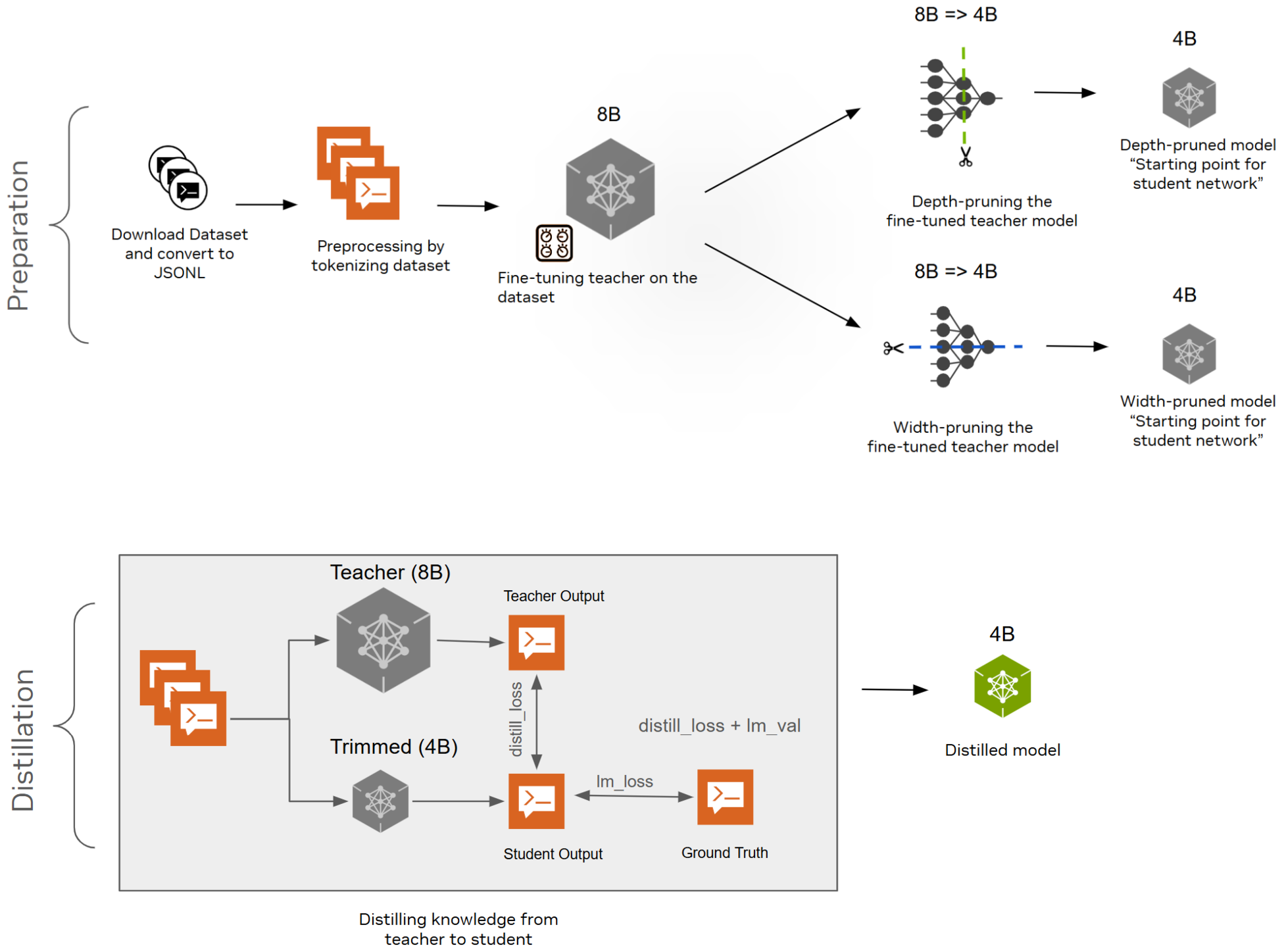
If latency is too high, consider optimizing the model. Techniques like quantization (reducing precision) or distillation (training a smaller model to mimic the larger one) can significantly speed up inference without major performance losses. For niche markets, user patience is often lower, so sub-second response times are a competitive advantage.
Deploy to production
Once validation and testing are complete, deploy the model to your production environment. Use a containerized approach with Docker and Kubernetes to ensure consistency across development and production stages. This makes scaling easier and simplifies updates.
Implement a CI/CD pipeline to automate the deployment process. This allows you to roll out updates quickly and revert to previous versions if issues arise. Monitor the model’s performance in real-time using logging and analytics tools. Track metrics like error rates, user feedback, and usage patterns to identify areas for improvement.
Split your niche-specific data into training and validation sets. Ensure the validation set covers edge cases and diverse input formats typical of your target audience. This set acts as the benchmark for all subsequent performance checks.
Feed the validation set into the fine-tuned model. Generate outputs and compare them against ground-truth answers. Calculate accuracy, precision, recall, and F1 scores. For generative tasks, use BLEU or ROUGE scores to measure text similarity.

Test the model with adversarial prompts designed to trigger harmful or biased responses. Use safety filter tools to block inappropriate outputs. Document any failures and adjust the training data or safety rules accordingly.
Measure response times under simulated load. If latency is high, apply quantization or distillation techniques. Containerize the model using Docker and deploy it on a scalable infrastructure like Kubernetes to handle traffic spikes.
Launch the model and monitor real-world performance. Track error rates, user feedback, and usage patterns. Use this data to identify areas for improvement and schedule regular retraining cycles to keep the model aligned with evolving niche market needs.
-
Validation metrics meet or exceed baseline thresholds
-
Latency is within acceptable limits for user experience
-
Safety filters block harmful or PII-containing outputs
-
Containerized environment is configured for scaling
-
Monitoring and logging tools are active
Common questions about LLM fine-tuning 2026
Fine-tuning a model for a niche market often raises practical concerns about cost, hardware, and performance. Here are the most frequent questions teams ask when moving from prototype to production.
How much data do I actually need?
You do not need millions of examples. For niche markets, high-quality curated data often outperforms large, noisy datasets. Aim for 500–2,000 carefully annotated examples to establish baseline competence. If your domain is highly specialized, prioritize accuracy over volume. You can always augment with synthetic data later, but start with human-verified examples to avoid propagating errors.
Can I fine-tune on consumer hardware?
Yes, thanks to parameter-efficient methods like LoRA and QLoRA. Full fine-tuning requires enterprise-grade GPU clusters, but LoRA allows you to fine-tune large models on a single high-end consumer GPU (e.g., NVIDIA RTX 4090) by freezing most of the model’s weights. This approach reduces memory usage significantly, making local fine-tuning accessible without cloud costs. As one industry observer noted, local fine-tuning is becoming a key competitive edge because it lowers the barrier to entry.
How do I prevent overfitting on small datasets?
Overfitting happens when the model memorizes your training data instead of learning generalizable patterns. To prevent this, use early stopping: monitor validation loss and halt training when it stops improving. Apply strong regularization techniques, such as dropout and weight decay. Additionally, ensure your validation set is distinct from your training set—do not use the same examples for both. If the model performs well on training data but poorly on validation data, reduce the learning rate or increase the regularization strength.
No comments yet. Be the first to share your thoughts!